

PIES AI
Change models. Keep your AI.
PIES AI sits between your people, your applications and every AI model. It decides what each model may see, keeps what your organisation teaches it, and signs a record of every call. Swap Claude for GPT or for the PIES models and none of it moves. It also builds your applications from plain English and runs their agents.
Without PIES AI
Change provider, start again.
Memory lives in each vendor's tool. Rules are set per product. Logs are split across consoles, or missing.
With PIES AI
Change provider, keep everything.
One memory, one policy set and one signed audit trail for every model, every application and every agent.
Switch the model
↓ nothing below changes ↓
PIES AI
Rules
A policy picks the model
By data class, role, application and region. Personal and card data are masked before the call. Seven presets, including Air-Gapped.
Memory
Your organisation remembers
Organisation, app and agent notes in plain text, with author and time, stored in your own database. Read, edit or promote them on one page.
Record
Every call, signed
Who asked, which policy and model, what was masked, tokens and cost, in a hash-chained, signed audit trail your security team can verify.
Build
From plain English to tables, screens and logic.
Describe what the application should do. PIES AI plans it, builds the data model, designs the screens with the right widgets, and wires the events and functions, streaming every tool call as it works. Everything it produces is an ordinary object you can open and edit by hand.
- Whole apps from one prompt, or one change at a time in a conversation
- One PIES AI across the Studio and inside every app, always acting as the signed-in user
- Starting prompts for sales CRM, inventory, helpdesk, clinic, HR, approval workflows and more
Three ways to let it work
Edit automatically
PIES AI plans and applies the change, then shows the receipt. The default for day-to-day building.
Plan mode
PIES AI writes the plan and changes nothing. Read it, adjust it, then let it build.
Ask before edits
An Approve or Reject card for every change before it is saved. For the applications you care most about.
Build receipt
Each turn ends with exactly what was created or updated, counted from the application rather than the model's claims, with the model used and the tokens spent. Anything the AI could not save is listed as NOT applied.
Rewind
Every turn takes a version snapshot first. A turn that went wrong is undone with one click, and the activity log keeps the history.
PIE Loop
A large request is broken into units of work, built, then build errors are read and fixed until the application compiles. Ask for the whole thing instead of steering every step.
Builds from your documents
Attach a BRS or specification as an Artefact and PIES AI works from your requirements rather than its own assumptions.
Knowledge Base and Memory
Organisation-wide sources reach every build, Studio answer and agent run. Memory keeps Organisation, App and Agent notes with author and time, editable and promotable by administrators.
Builds survive the browser
A build is a background job. Close the laptop and it carries on. An interrupted turn picks up with Continue.
Views with no widget
Calendar, kanban, gantt, timeline: describe it and PIES AI writes the React component, the read function behind it and the event that wires the data in.
Analyse and Fix
A build failure in the PROBLEMS tab is handed to the AI with its context, and the fix lands as an ordinary, rewindable change.
Memory
Your memory, not the model's.
What PIES AI learns belongs to your organisation, not to an AI provider. Each note is plain text with its author and time, and administrators read, edit, promote or delete it on one page. It is stored in your own database, so moving from Claude to GPT to the bundled PIES models, or going air-gapped, changes nothing about what your AI knows.
Organisation notes
Conventions shared by every build and agent run in the organisation: naming, UI patterns, data rules and approved vocabulary.
App notes
What PIES AI has learned about one application, applied whenever it builds or changes that app.
Agent notes
What one agent keeps between runs. Administrators can promote a useful note to the app or organisation.
Any model
Bring the models you trust, on your own keys.
PIES Studio connects to the cloud providers below and to PIES LLM. You hold the keys and the contracts. A policy decides which one answers each request, and heavy work such as screen authoring is upgraded to the strongest model the policy already permits.
Anthropic Claude
Through your own API key.
OpenAI
Through your own API key.
Azure OpenAI
In your own Azure subscription.
xAI Grok
Through your own API key.
PIES LLM
The private PIES LLM family on your own hardware. No key, no per-token bill, no egress.
PIES LLM
A private model family that never leaves your network.
PIES LLM is included with every Enterprise licence. Five models from PIES Lite to PIES Ultra share one OpenAI-compatible API and one privacy guarantee: your prompts, training data, generated code and model weights stay on your infrastructure. Smaller members get a compact prompt and tool catalogue so builds still work offline.
PIES Lite
The smallest member, for evaluating Private AI and for the light, repetitive work a policy routes locally.
PIES Dev
More capable than Lite. Sizes and hardware guidance are in the documentation.
PIES Pro
More capable than Dev, for applications with steady AI use.
PIES Expert
Reads screenshots and documents as well as text, and builds whole applications.
PIES Ultra
The largest member, for enterprise-wide production. Verified on 2x H200 and 2x B200.
- No ongoing API fees and no per-token billing
- No data egress, with all inference run locally
- Fully functional on an air-gapped network
- Licence validated locally, weights delivered on media if you need them
Model sizes and hardware guidance are in the documentation.
Where Private AI runs
Your server, a rented pod, your cloud tenancy, or a Mac.
Your own GPUs
A single Docker container serving the model through an OpenAI-compatible API on a server you own.
A rented GPU pod
Bring the container up on a pod from a GPU provider for a project or a burst.
A VM in your cloud tenancy
Your subscription, your network, your keys.
An Apple Silicon Mac
Evaluate Private AI on a desk, with nothing leaving the machine.
Train it
Make it yours with your own data.
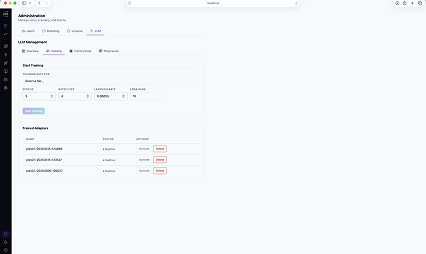
The Private LLM card shows the seed training data PIES ships and lets you refresh it. Fine-tuning jobs train on that data and on your own, unless you opt out, so the model learns your vocabulary, your UI patterns and your data conventions.
Training data stays on your file system. Trained versions are timestamped, can be rolled back, and can be deleted at any time.
Agents
Every app gets its own agents. Three kinds of work.
Each application runs its own MCP server with a tool per table and a tool per function. Agents use them to work inside the running app. There is one Start work door and one Activity feed for everything running and waiting on you: Needs you, Running, Today, Failed, Everything.
- Scoped to one app and one access group, with nothing more
- Supervised or autonomous, with approvals that time out safely
- Every step recorded in the audit log, including steps that were refused
Deliveries
Change an application by running a playbook: build a feature, fix a defect, audit and improve. A board card, a route of steps, a live trace with a steering box, and Pause, Resume, Stop, Retry, Skip and Roll back.
Errands
One action on a running application from a plain-English request: chase the overdue invoices, close the stale tickets, prepare the weekly summary.
Posts
An agent stands watch on an environment and acts on a schedule, a signed webhook, an app event or a record change. The same agent can be posted on several environments independently.
Autonomy levels
Supervised, Autonomous or Locked down per agent. Approval cards offer Allow, Deny with a note, Allow for the rest of the run, or Always allow.
Approvals that time out safely
An unanswered approval times out, the run carries on and reports the skipped change. Every decision is signed into the run.
Runs as an access group
An agent acts as one of the app's access groups. The app enforces that group's permissions, including which tables it may read. Rows it writes are signed "PIES Agent · group".
Budgets
Iterations, tokens and minutes per run, and tokens per month. At three quarters of its iteration budget a run compacts its history and continues, up to three times.
Playbooks
Rules plus ordered steps with role, tools and model tier. Stock playbooks: Full delivery route, One builder and a verifier, Fixer, and the Self-improvement loop, which audits an app, files findings, fixes and verifies each one.
Triggers
Schedule, webhook with a signed secret, app events such as deploy failed, build failed or bug reported, and record change with a column filter.
Ships with every template
Each template installs an agent pack and sample rows shaped so the agents find something on the first run.
Operations grants
Agents inherit the app's operations grants, so approvals route to the people who run the application, not only the people who built it.
Agent maps and loops
See the whole workload, not one chat.
Real operations are many agents acting on one system. The agent map draws it: the application at the centre, every agent posted on it around the edge, and the hand-offs observed from real runs as edges. At a glance you see who can write, who acts without asking, and who wakes on a schedule rather than when a person calls.
- Writes, Supervised and schedule badges on every node, click through to the agent
- Delegation edges fill in as agents hand work to each other
- Fleet map for the organisation: every app and the agents operating it
PIE Loop
A big request becomes a crew of agents, live.
Ask for a whole module and PIES AI splits it into units of work, runs them as parallel agents, reads the build errors and fixes them until the application compiles. A chip in the composer counts the agents at work. Open it for the live loop map, and open any agent for its status, model, duration, tokens, prompt and tools.
- Stop the loop at any point; every unit is an ordinary, rewindable turn
- Receipt counted from the application, not from the model's claims
- Same policy, budget and audit as a single turn
In-app chatbot
A chat window for the people who use the app.
One flag enables a themed chat widget in a deployed application. Its users ask questions about their data, move between screens and run functions in natural language. The chatbot works through the app's own MCP server, so it can only do what the signed-in user may do, and every call is governed and logged like any other.
- Appearance configured with a live preview to match the app's theme
- Enabled on every template out of the box
- Same policy, same redaction, same audit log as the rest of the platform

Governance
Your rules apply to every model, including your own.
Governance in PIES is a policy engine, not a setting on each app. The enabled policy, not the model picker, routes a build. Policies decide which model may see which data, redact sensitive fields, and route requests. Change a rule once and every app follows it. Nothing is rebuilt.
Policies
Rules that choose provider and model by request type, tier, data classification, role, app and region. If no policy allows a model, the request fails rather than falling back to the cloud.
Seven routing presets
Air-Gapped, Regulated Industry (HIPAA/PCI), Cost-Optimised Hybrid, Frontier Quality, Hybrid Burst-and-Train, Public Sector/Sovereign and Default Balanced. Add or replace when your posture changes.
Redaction and classification
Card numbers, emails and other personal data in a request are detected and masked before the model call, as the policy sets, and every detected class is recorded.
Test Console and shadow policies
Simulate a request and see which policy matched, the classification, the model and the redaction. Shadow policies run only on simulate and replay. Lint finds dead policies.
Cost-optimised hybrid
Light edits go to your local model, heavy work to the cloud. Inside one build the cloud plans and the local model executes the repetitive items. A savings panel reports what was served locally.
Factuality scoring
Paste an answer and its source and get a groundedness report. Audit rows carry a verdict.
Separation of duties
Eight server-enforced governance roles: governance admin, policy author, policy reader, approver, auditor, compliance, budget and anomaly. Identity comes from the verified token only.
Decisions log
Every agent decision, who made it, the outcome and the payload. Filterable and exportable as CSV at hundreds of thousands of rows.
Audit
Every AI call, on the record.
Who asked, which model answered, what data classification was involved, the factuality verdict, what it cost and whether it was allowed or blocked. The log is signed and hash-chained so a change to any entry is detectable. Agent, run and posted version are inside the hash. Filter by agent, playbook, run and source, trace from a run to its calls, and export CSV for your security and compliance teams.
PIES AI questions
Do we have to use a cloud AI provider?
No. PIES Studio is fully functional with PIES LLM alone, including on an air-gapped network. Cloud providers are optional and used only where your policy allows.
Whose API keys are used?
Yours. Keys are entered in AI Settings, never through chat, and AI Settings shows each key's real health: rejected, out of credit or rate limited.
Is PIES LLM an extra cost?
No. The PIES LLM family is included with every Enterprise licence and runs on your own hardware with no per-token billing and no GPU add-on.
Does Private AI call home?
No. The service refuses inference without a valid licence but validates it locally, and the model weights can be brought in on media for air-gapped sites.
Can an agent act without a person approving?
Only if you let it. Set the autonomy level per agent, give it an access group, cap its budget, and every step, including refused ones, is written to the audit log.
What is MCP?
Model Context Protocol, an open standard for connecting AI models to tools and data. Every application PIES Studio builds has its own MCP server with a tool per table and a tool per function. That is what its agents and the in-app chatbot use.
Try PIES AI on your own data.
Every Enterprise trial includes PIES LLM. 60 days free, no card.